Multimedia data screen
Multimedia Data Screen: Simplifying Complexity and Empowering Intelligent Decision-Making and Immersive Experiences
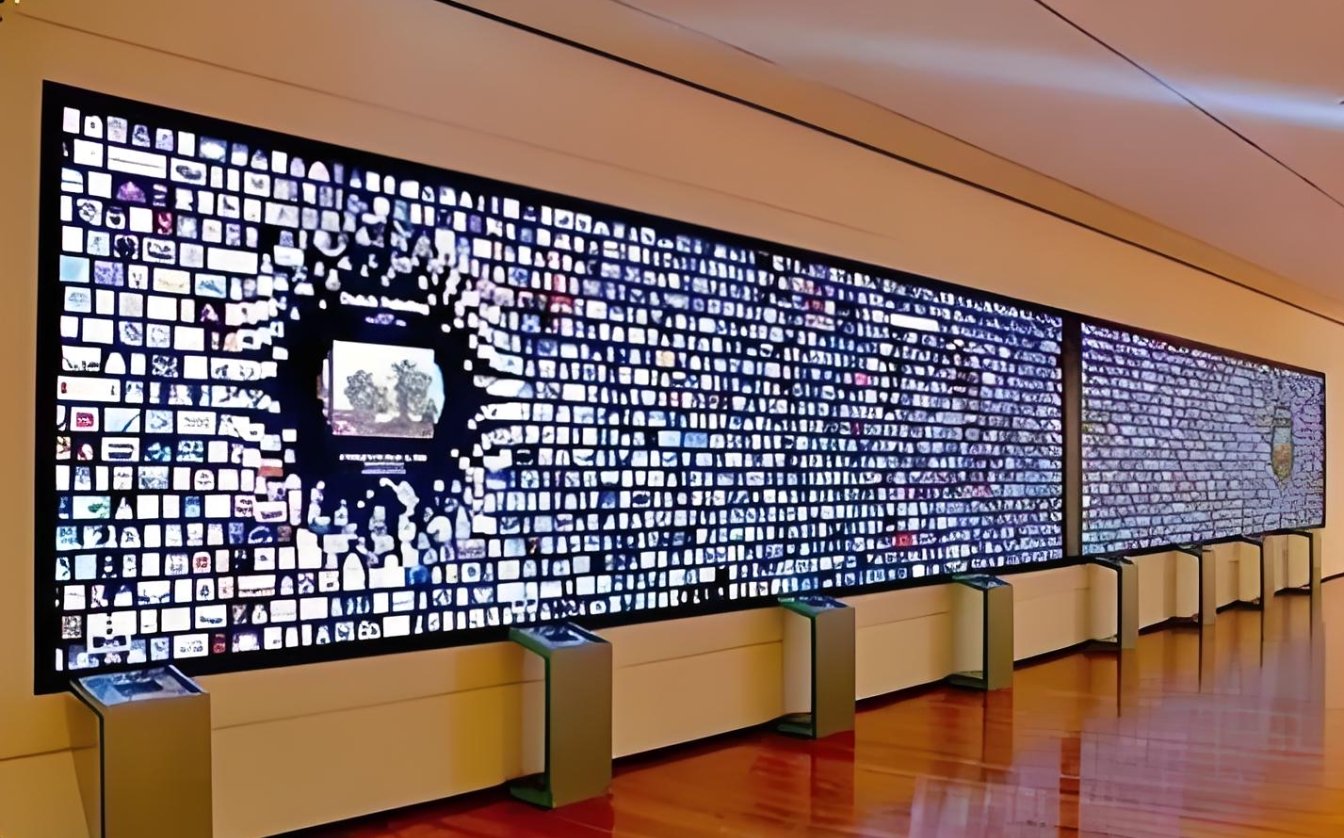
The multimedia data screen is an interactive information display terminal that integrates high-definition display, real-time rendering, and multi-touch technologies. It is dedicated to transforming complex business data, statistical information, or process dynamics into intuitive, vivid, and visually impactful graphical charts. This transformation elevates massive amounts of information from dull numerical tables to clear decision-making references and narrative tools.
Data-driven Dynamic Visualization: It seamlessly connects to enterprise internal databases, API interfaces, or local files, and instantly converts data from production, sales, logistics, user behavior, etc., into dynamically updated 3D bar charts, flow trajectory maps, heat maps, etc., enabling data to “speak”.
Deep Interaction and Exploratory Insights: Users can interact with the data screen through gesture operations (such as zooming, dragging, and click filtering), independently drill down into data levels, and delve from macro trends to micro details to achieve exploratory data analysis, greatly improving the efficiency of information acquisition.
Highly Integrated with Comprehensive Overview on One Screen: It supports split-screen and picture-in-picture displays and can simultaneously integrate video live broadcasts, picture carousels, web news, and key data dashboards, breaking down information silos and achieving comprehensive information management with “a single screen to view the world”.
Tiled Digital Wall: Basic Configuration Overview
| Configuration Category | Core Components and Key Parameter Specifications |
|---|---|
| 🖥️ Display System: Tiled Screen | |
| Screen Type | • LCD Liquid Crystal Tiled Screen: Cost-effective, various bezel options available. • LED Tiled Screen: Bezel-free display, high brightness, suitable for large spaces with complex lighting. • OLED Tiled Screen: Excellent color and contrast, higher cost, less common for large interactive walls. |
| Unit Size & Quantity | • Unit Size: Common 46″, 49″, 55″, 65″. • Tiling Configuration: Determined by total wall size, e.g., 2×2, 3×3, 4×4, 5×5. |
| Physical Bezel | • Narrow Bezel: Critical parameter. Recommended ≤1.7mm (e.g., 1.7mm, 1.2mm, 0.88mm). Smaller bezel provides better visual integrity. |
| Resolution & Brightness | • Unit Resolution: Typically 1920×1080 (Full HD). • Total Wall Resolution: Unit resolution × tiling configuration (e.g., 3×3 tiling reaches 5760×3240). • Brightness: ≥500 cd/m², ensuring vibrant display. |
| 👆 Recognition System: Interactive Capture | |
| Recognition Technology | • Infrared Optical Touch Frame (Most Common): Creates an infrared grid in front of the screen. High precision, fast response, supports multi-touch. • Radar Sensing: Suitable for mid-to-long range gesture interaction, less affected by ambient light. • Camera Vision Recognition: Uses overhead cameras (e.g., Kinect) for skeletal tracking, gesture recognition. |
| Precision & Touch Points | • Touch Precision: Typically up to ±2mm. • Touch Points: Depending on touch frame performance, supports 10, 20, 32 points or more for multi-user interaction. |
| Installation Method | • Embedded: Frame integrated with screen edges, clean appearance. • External Mount: Independent from screen, suitable for retrofit projects. |
| 💻 Processing & Software System | |
| Image Processing Controller | • Video Wall Controller: Dedicated hardware, integrates multiple signals into a single ultra-high resolution desktop enabling roaming, overlaying, windowing. • Matrix Switch: Manages switching between multiple input/output signals. |
| Interactive Host PC | • High-performance Computer: Runs interactive software. • Recommended Config: i7 or better CPU, ≥16GB RAM, High-performance Dedicated GPU (e.g., NVIDIA GTX/RTX series), SSD storage. |
| Interactive Software Program | • Core Engine: Bridges recognition system SDK and interactive content. • Functions: Defines interaction logic (click, drag, zoom), loads multimedia (images, video, 3D models), manages multi-scene tasks. • Content Management Backend: Provides GUI for staff to update content, set playlists. |
Customized Design Aligned with Brand Identity: The visualization theme, UI interface, and interaction logic can be deeply customized according to your brand VI and business scenarios, ensuring a high degree of consistency between the visual style and brand image and strengthening brand recognition.
Robust and Professional-grade Quality: It uses industrial-grade high-brightness LCD panels and infrared touch frames to ensure long-term stable operation in public venue environments, with anti-glare, high-precision, and multi-touch capabilities.